

How to Edit a Submitted Application
Once you complete the checkout process and submit your application, you cannot make any further changes. To make changes at this stage, you must contact the organization sponsoring the call and ask that they allow you to edit your application.
⚡TIP: Click the Call Name on the My Entries page to find the organization's contact details.
If the call sponsor allows you to edit your application, they will change your status to Incomplete or Exception. Click Modify to return to your application and make the necessary edits.
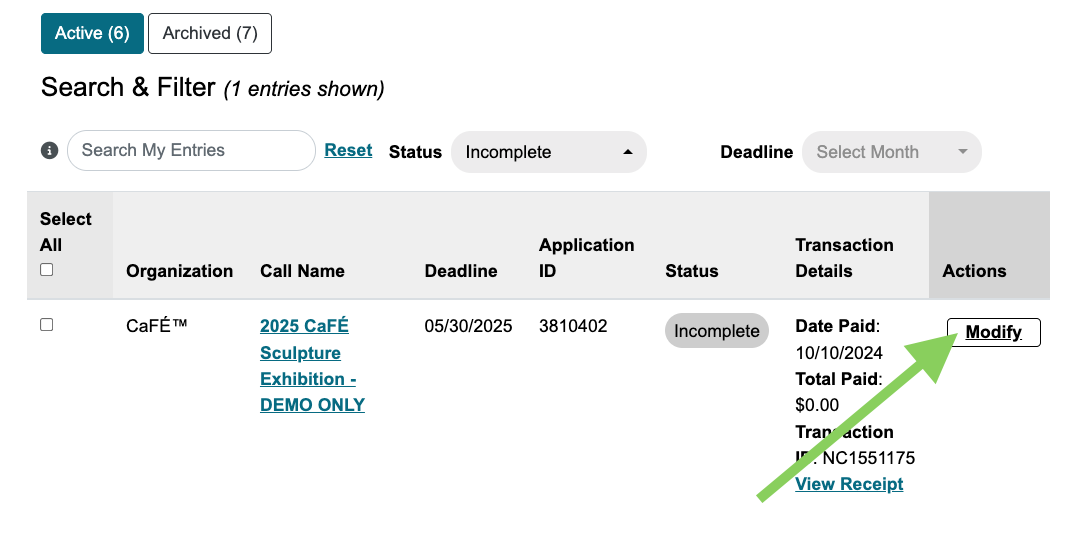
CaFÉ cannot guarantee that you will be able to edit your submitted entry. In some cases, the entry may not be editable due to the application setup requirements and processed transaction, in which case you will need to create or use a different CaFÉ profile and apply again with a completed application.
How to Submit Additional Entries
In most cases, once you complete the checkout process and submit your application, you cannot add additional entries because most calls are set up so that an artist may only apply once. Once your payment has been processed for that call, resubmission is no longer a viable option for adding more entries.
Sometimes, the organization sponsoring the call will review applications based on a body of artwork and therefore allow multiple applications. To apply with a new body of artwork, locate the opportunity/call details page and click Apply on CaFÉ. You will see your other started or submitted entries on the page where you agree to the legal terms.
How to submit additional entries after you have submitted:
Create a new CaFÉ profile, or switch to a different, linked CaFÉ profile.
Upload your new work samples.
Submit a new application to the same call.
⚠️ Note: You may be required to pay the entry fee again.
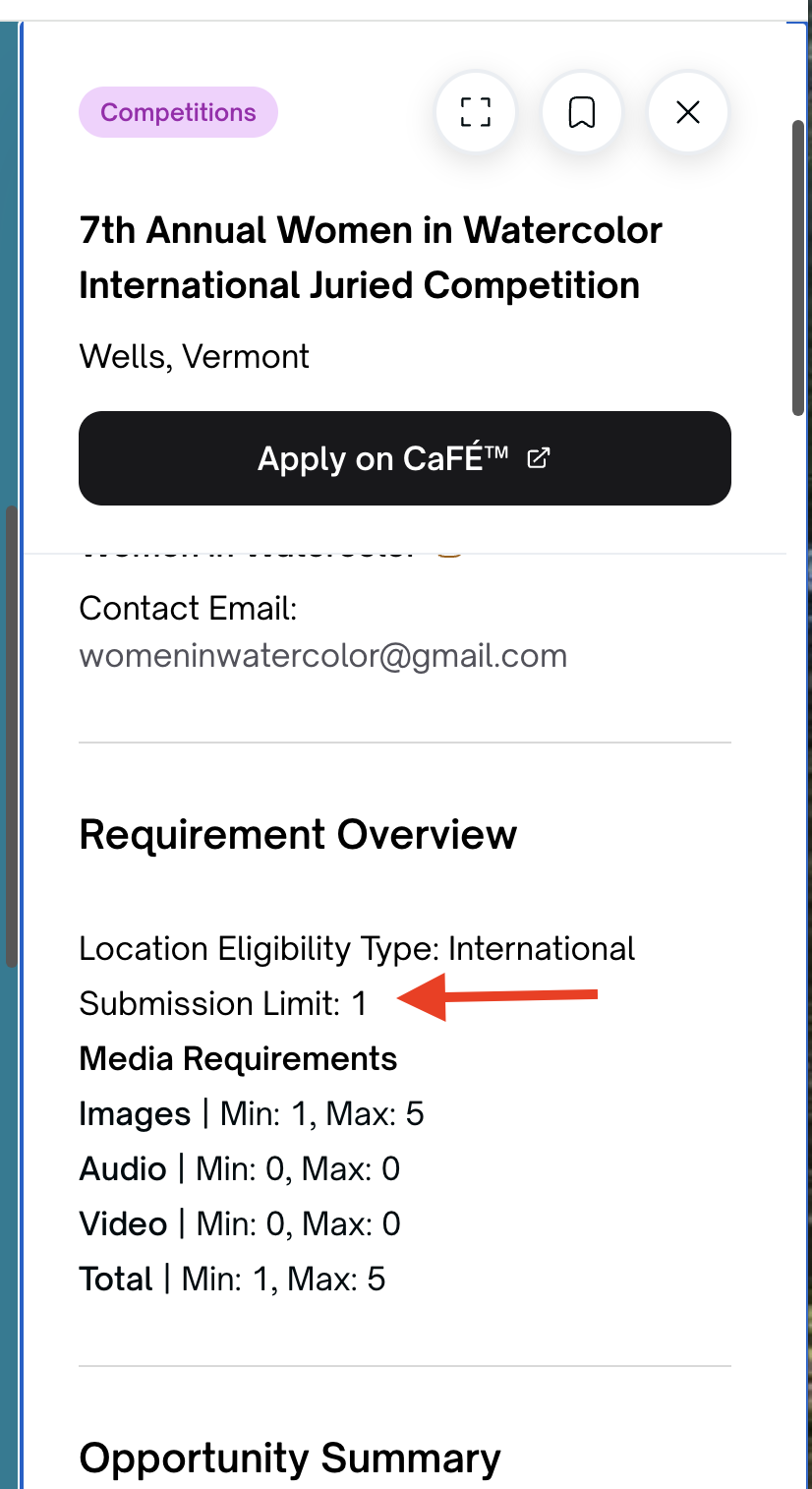
Check to see if multiple entries are allowed on the Opportunity Details page under Requirement Overview. The Submission Limit will tell you how many entries are allowed per person.
How to Create an Additional CaFÉ Profile
Start at your My CaFÉ Entries page:
Click Manage Profiles.
Select this option by clicking your profile to expand the menu.from the menu at the top of the page.
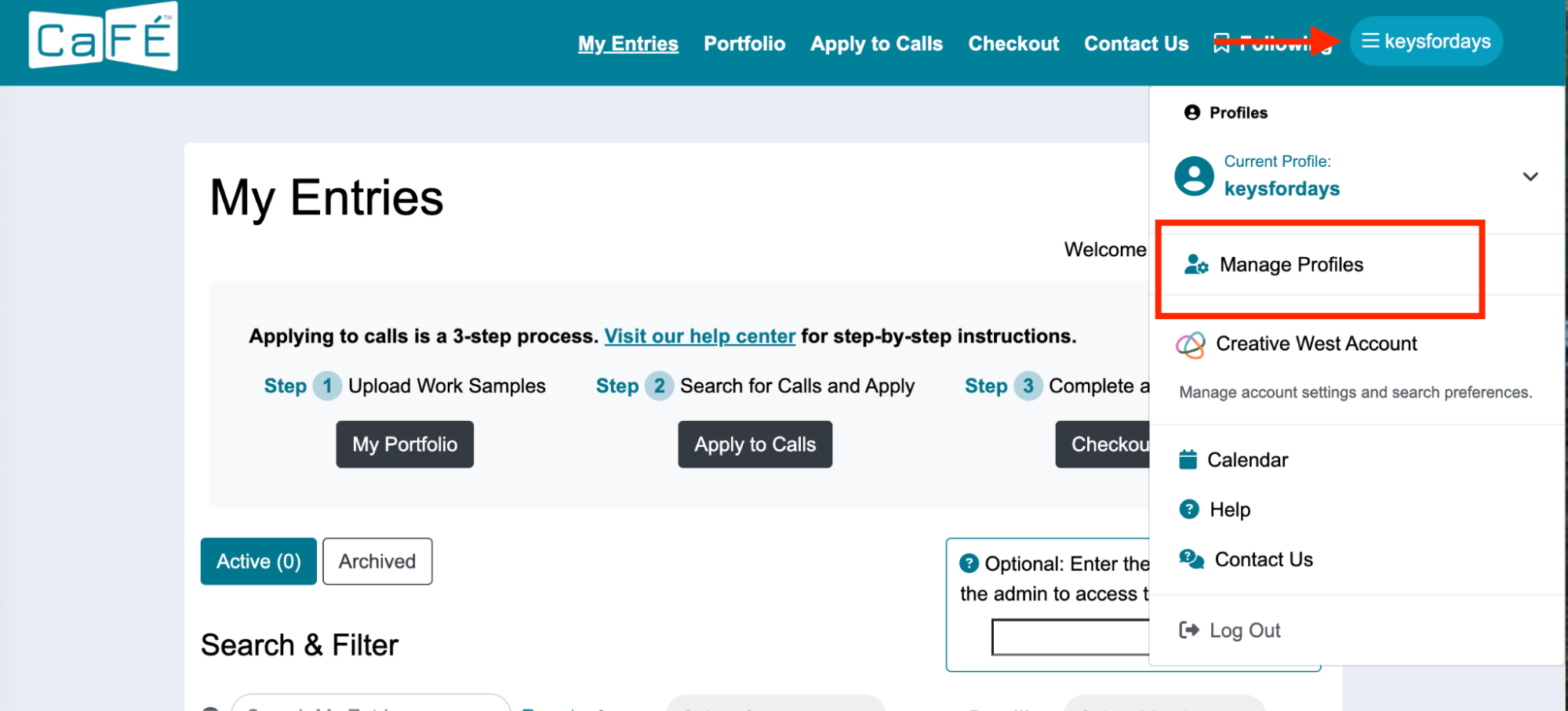
Manage Profiles setting as shown in the menu on the My Entries page. Select the connection type.
Click Add New to create a new, additional CaFÉ profile.
Complete the required CaFÉ profile fields.
You should see a confirmation that your new profile has been created and can be used.
Once you create your new profile, you can upload your work samples and apply again to the call.
