Prefer a video tutorial? Watch the How to Check Out video.
How to Check Out
Note: Even if the call doesn't charge an entry fee, you must complete checkout to submit the application.
On the checkout page, ☑️ click the checkbox next to the call's entry fee.
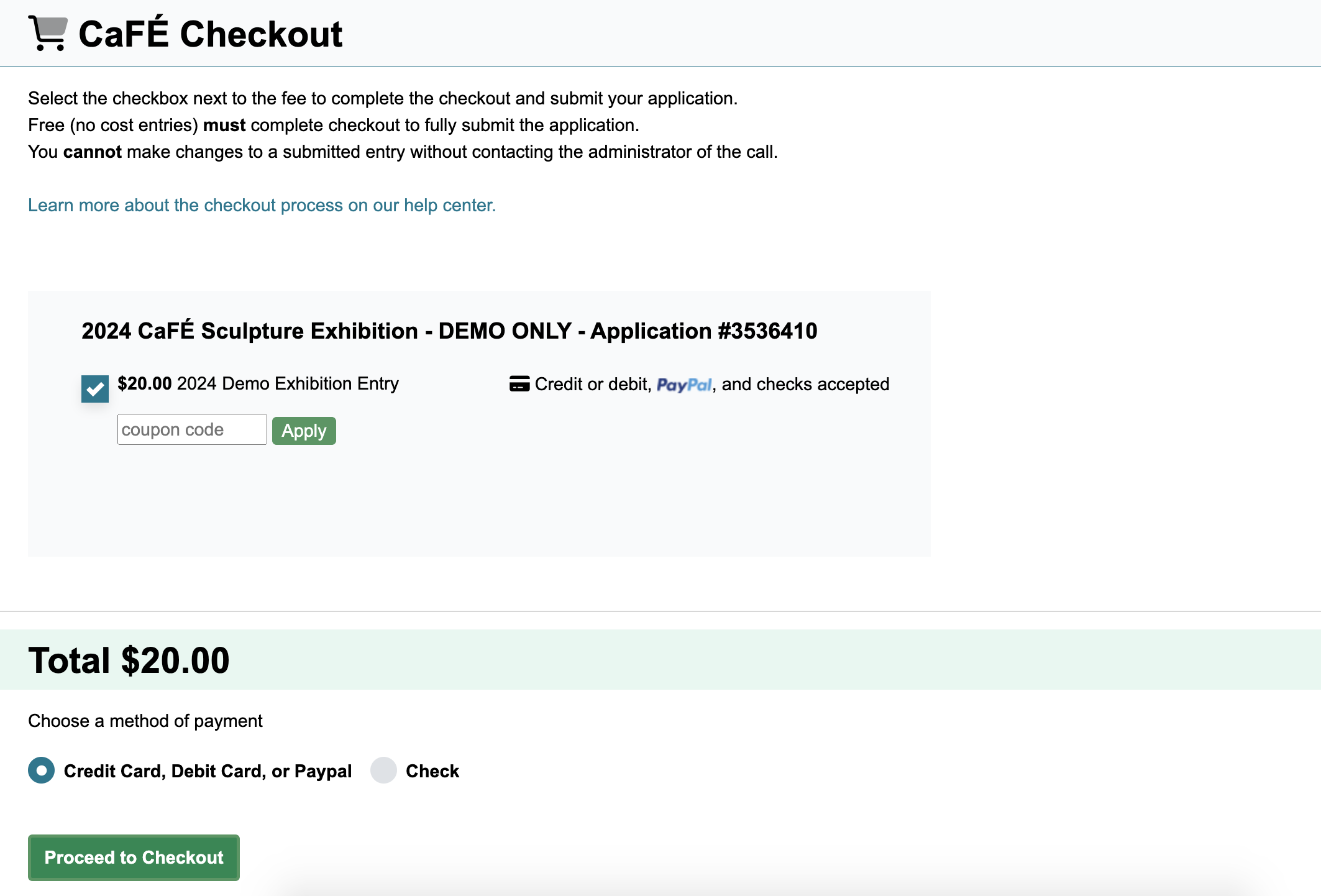
If you have a coupon code, enter it in the Coupon Code box and click Apply. The total amount will be updated with the discount.
Click ➡️ Proceed to Checkout.
Make your payment.
💳 Credit/Debit Card: Click Card, and fill out your credit card information. Click Submit Payment to complete your transaction.
💻 PayPal: Click PayPal, then PayPal Checkout. A separate window will open where you can log into PayPal and complete the on-screen steps. Click Submit Payment to complete your transaction.
📫 Check: Enter the check number in the provided field and click Submit Payment. After submitting, you’ll see a receipt page with the name to which your check should be made out to and the address to which it should be sent.
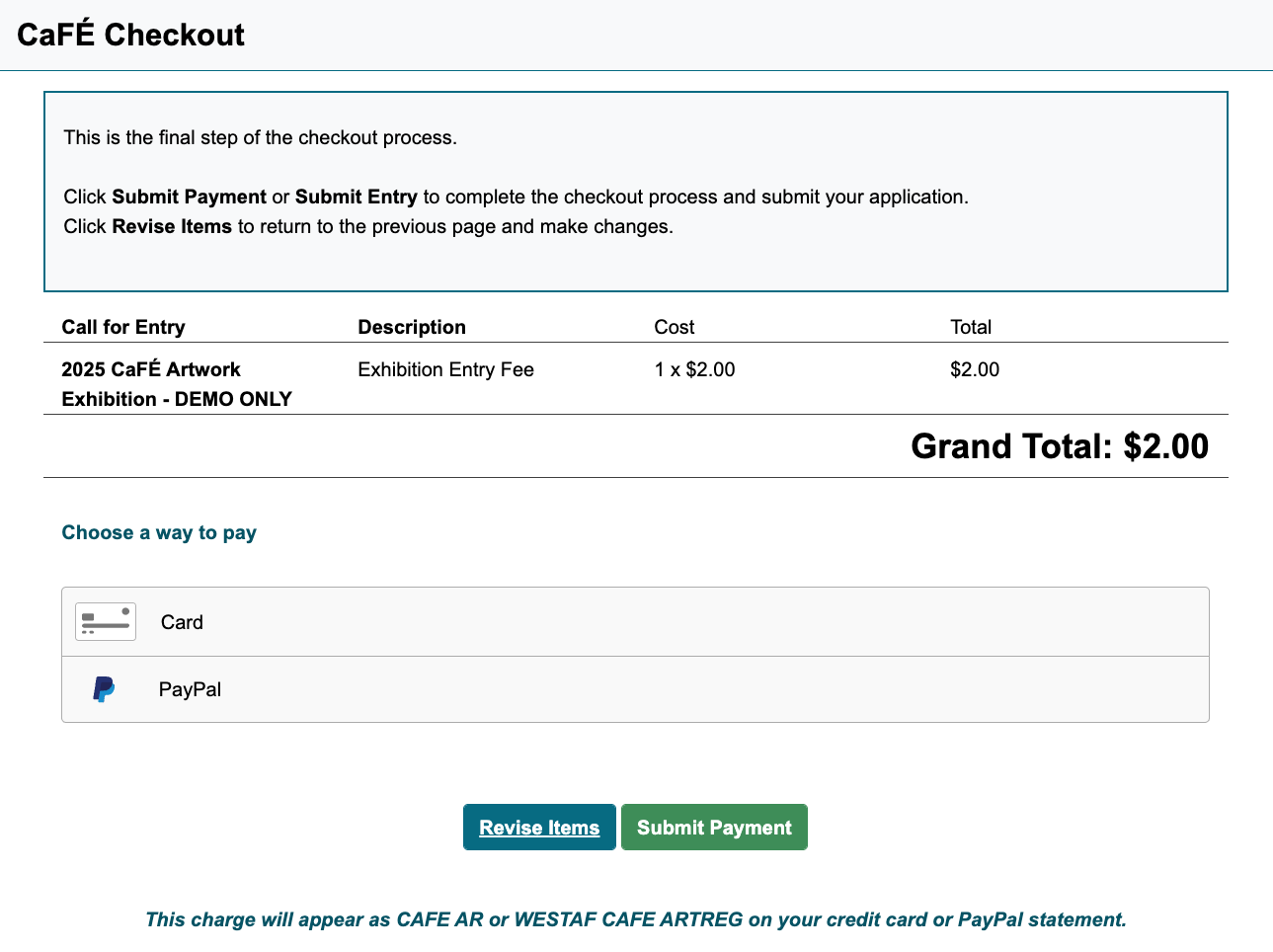
When the checkout is complete, your application will be sent to the organization sponsoring your call. A copy of the receipt will be emailed to the email address listed in your CaFÉ profile.
The charge will appear on your credit card or PayPal statement as CAFE AR, CREATIVE WEST, or WESTAF CAFE ARTREG. Find more information about payments and refunds.
