
How to Archive Applications
After logging in, go to 🗂️ My Entries.
Find the application(s) with the option to Archive in the Actions column.
Click Archive and select the applications you wish to archive.
Click Archive Selected Entries.
You can also archive applications by clicking the ☑️ checkbox(es) next to the applications on the My Entries page and clicking Archive Selected Entries.
The archive option may not be available for some entries until the sponsoring organization has completed the jurying stage and notified the artists of the results.
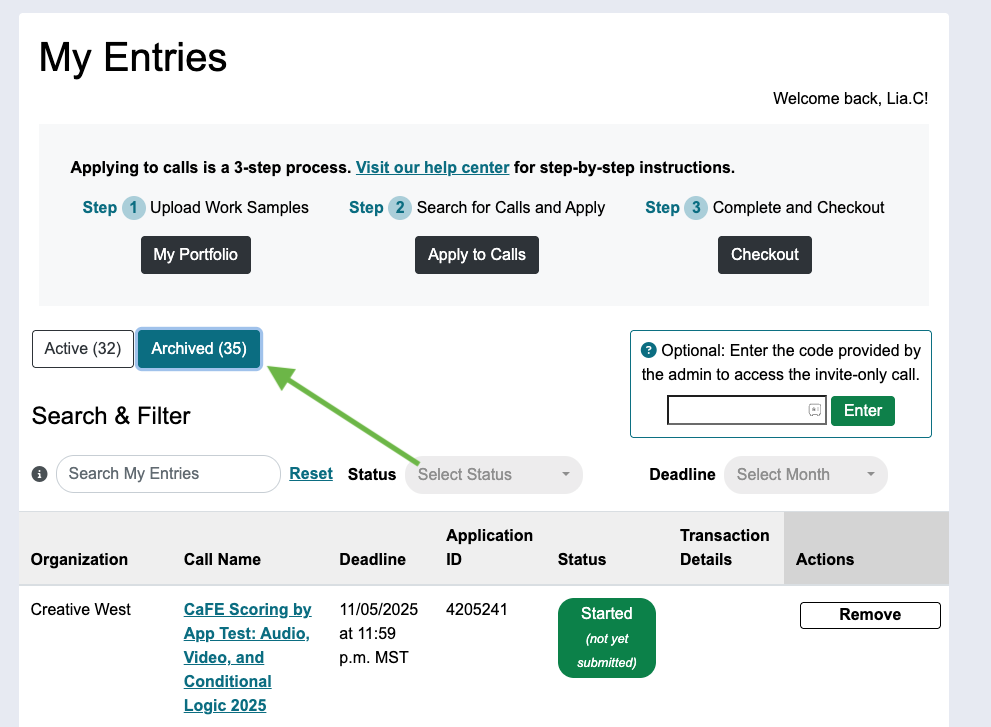
How to View Archived Applications
After logging in, go to 🗂️ My Entries.
Click the Archived button above the list of applications.