
How to Verify Your Email
If you have not yet verified your email, you will be prompted to do so when you log in. Follow these steps to complete the process.
Logging in will trigger an automatic email with a link to verify your email address.
The link will expire after 24 hours or if you click Resend Verification Email.
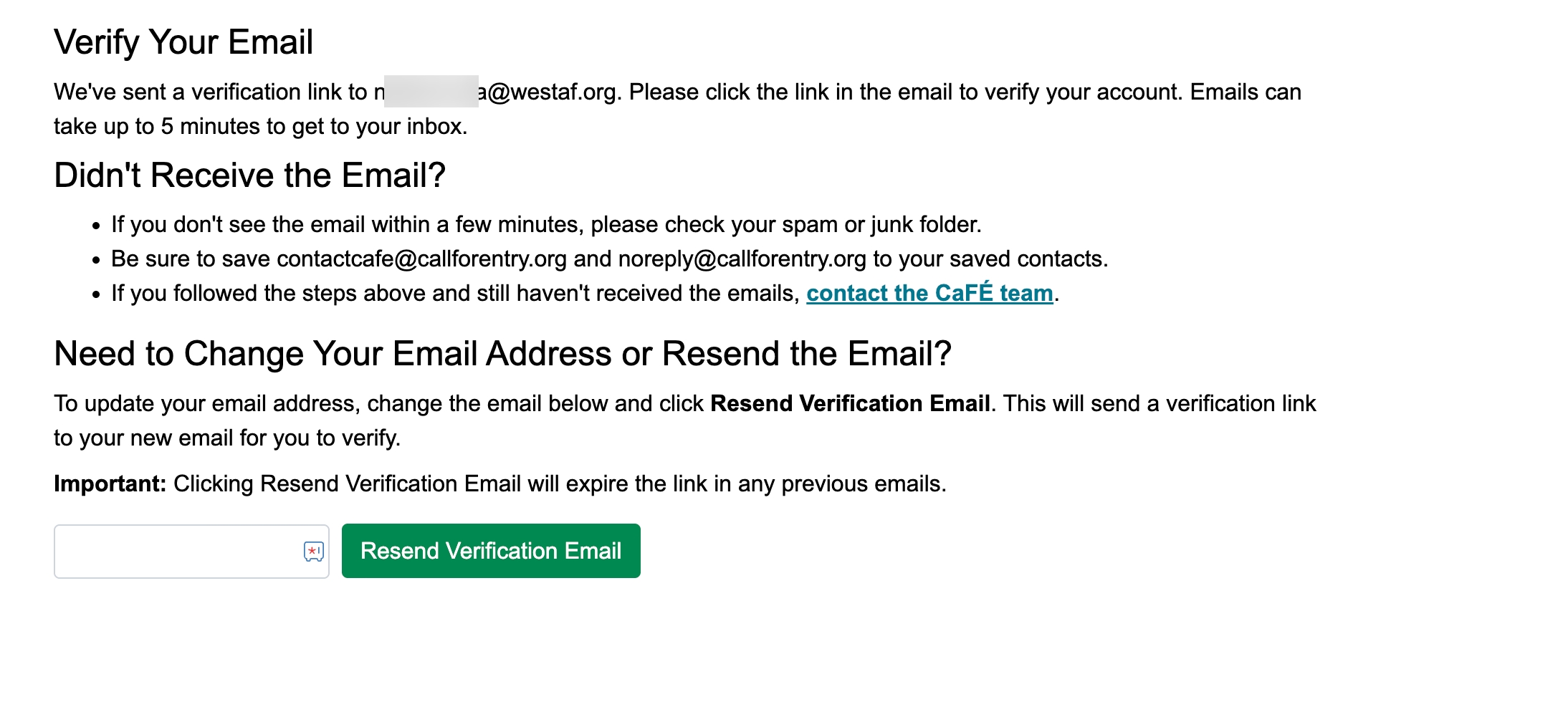
Review the email address under "Verify Your Email" to ensure this is the best email to use.
If you need to make changes, type in your new email address and click the green Resend Verification Email button.
Click the link to verify your email. This will be sent to the email listed in your CaFÉ profile. Emails can take up to 5 minutes to reach your inbox.
Frequently Asked Questions
What is email verification, and why is it being implemented?
Email verification is the process of confirming that an email address is valid and that the person using it has access to that inbox. It is a standard practice for online platforms and strengthens security. CaFÉ is implementing email verification to ensure you receive communications from CaFÉ and the organizations you apply to.
When do I need to verify my email?
You need to verify your email if:
you have never completed the email verification process
you update it in your CaFÉ profile
I didn’t receive the verification email. What should I do?
If you didn’t receive the verification email, return to CaFÉ and review the email address next to the Resend Verification Email button.
If the email is incorrect, update it and click Resend Verification Email.
If the email is correct, try the following steps:
Check your spam or junk folders, as the message may have been filtered.
Add contactcafe@callforentry.org and noreply@callforentry.org to your contacts and click Resend Verification Email.
Still not seeing it? Contact the CaFÉ team so we can troubleshoot further.
The verification link expired, but it hasn't been 24 hours. What should I do?
If your link is expired and it hasn’t been longer than 24 hours, it could be because a new verification email was triggered. Each time you log in or click the Resend Email Verification button, a new verification email is sent to you. When this happens, any previous links become invalid. If you click on an old link, it won't work, and you'll be stuck in a loop.
To get your account verified, follow these steps:
Log in to CaFÉ, and the verification email will be sent to you.
Don't click the Resend Email Verification button.
Go to your inbox and find the verification email from CaFÉ.
Click the link in the newest email.
The email address in my profile is incorrect. How do I update it?
On the Verify Your Email prompt page you see after logging in, enter your new email address in the text box provided and click Resend Verification Email. The verification link will be sent to the new email address, and once verified, your account will be updated automatically.
How do I know if my email has been verified?
You can check the My Account section of your CaFÉ profile. If you have already verified your email, you will see a checkmark and the timestamp of when it was verified. If your email is not verified, you will see “ Not Verified.”